RevParPro · Sales Plan workflow

January decision workspace

January is built through three focused decisions: market occupancy, hotel occupancy, and hotel ADR. Each assumption gets its own step, its own evidence, and one clear save-and-continue action.

January 2024
Hotel $86.0Market $84.3RGI 107.8
January 2025
Hotel $64.1Market $69.4RGI 92.0
January 2026
Hotel $56.8Market $74.9RGI 77.7

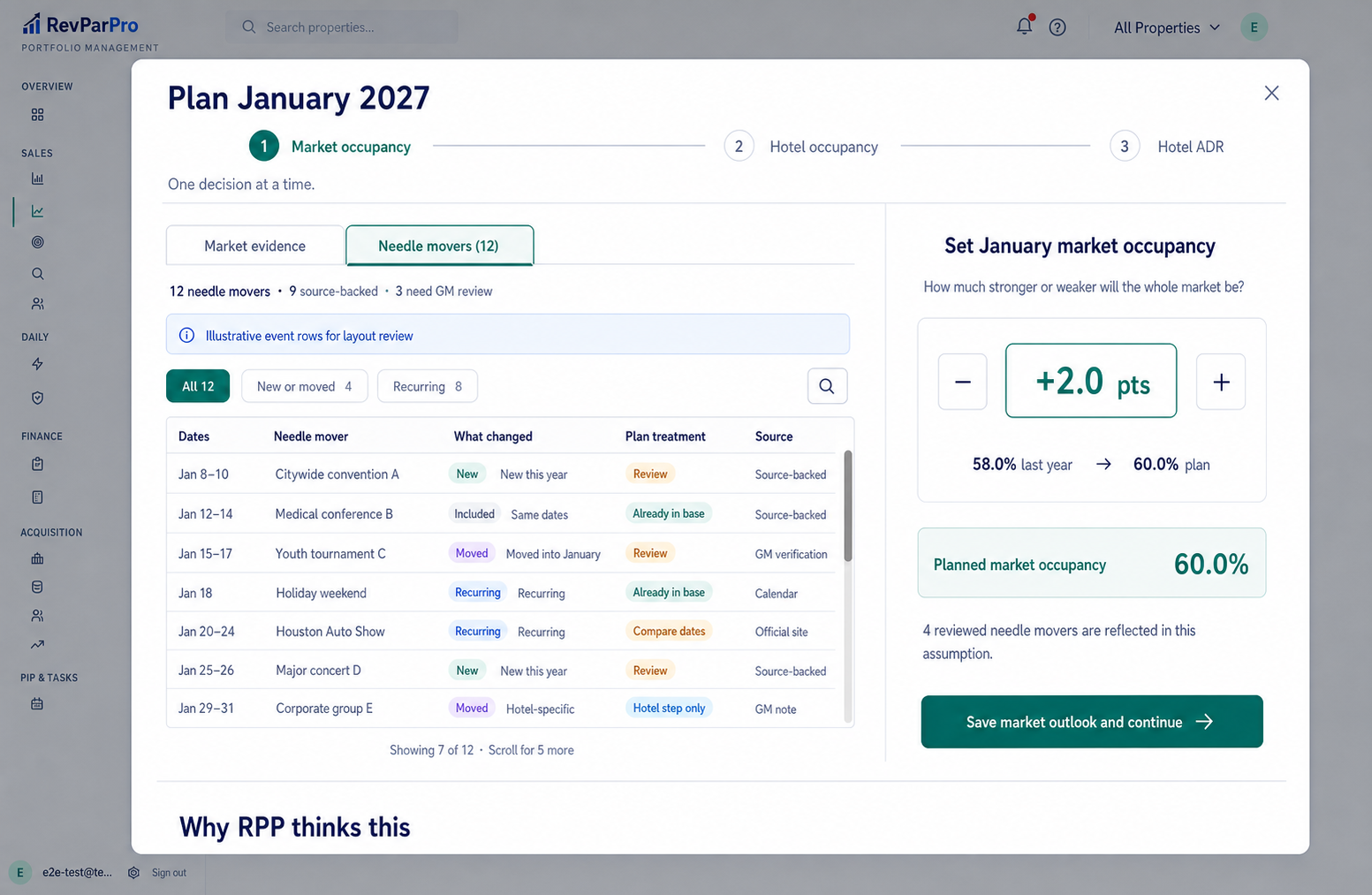
Step 1 · Needle-mover workspace

Events live in a fixed-height table rather than the page flow. Filters, a visible scrollbar, and compact rows let the GM review a dozen or more needle movers while the market-occupancy decision stays pinned on the right.
Current direction
Step 1 needle-mover workspace with twelve events in a fixed-height scrolling table
Fixed footprintFive, twelve, or thirty events use the same amount of vertical space. The full event set remains reviewable without pushing the evidence section down.
Open the needle-mover workspace full size ↗

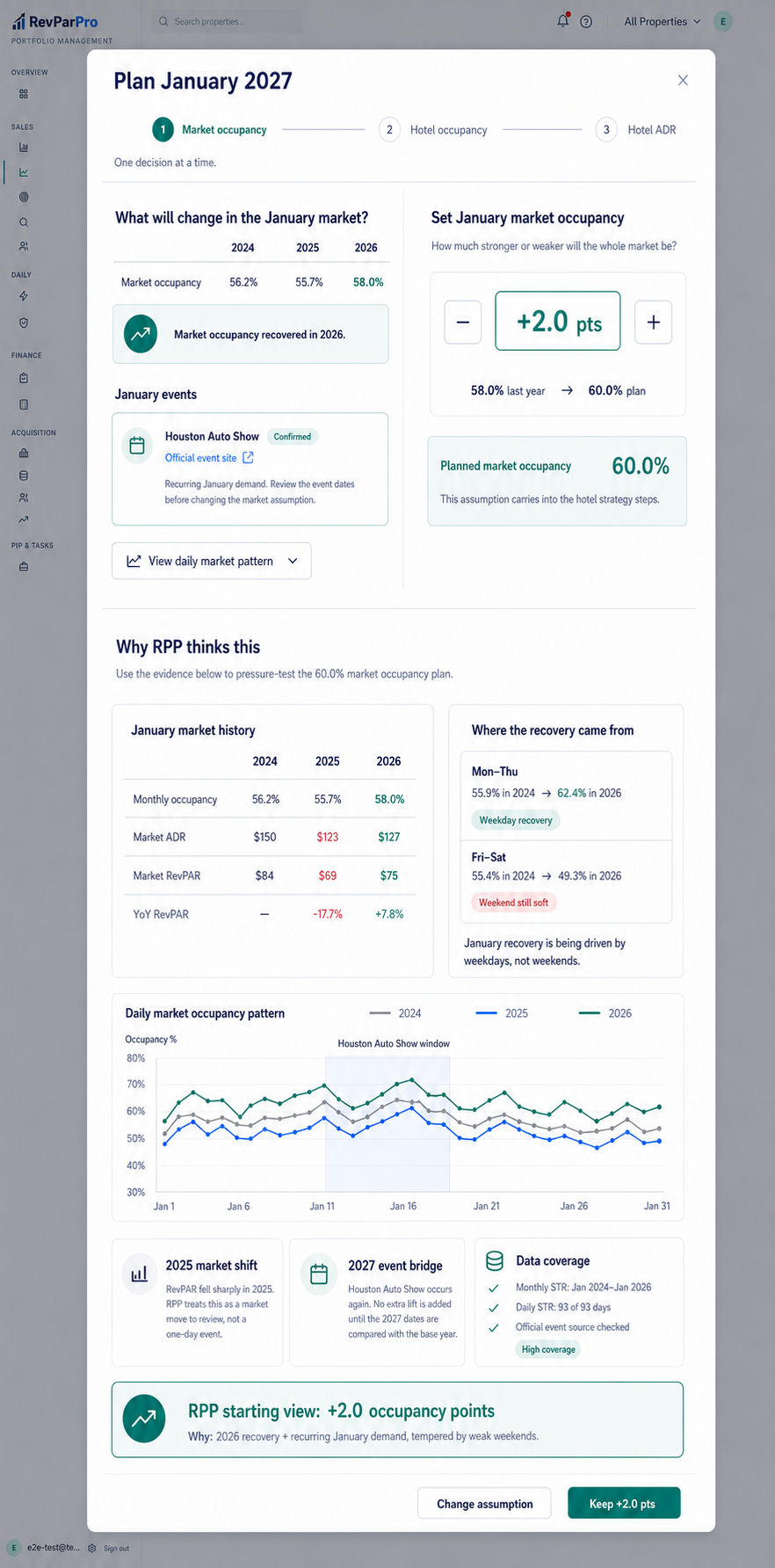
Step 1 · Market occupancy

The top stays simple: market history, January events, and one occupancy decision. Scrolling down reveals the daily patterns, rate and RevPAR history, event bridge, anomaly treatment, and data coverage behind RPP's starting view.
Expanded direction
Expanded Step 1 market occupancy mockup with deep evidence below the simple decision
Progressive disclosureA GM can decide quickly at the top; a data-minded operator can pressure-test the same assumption immediately below.
Open expanded Step 1 full size ↗

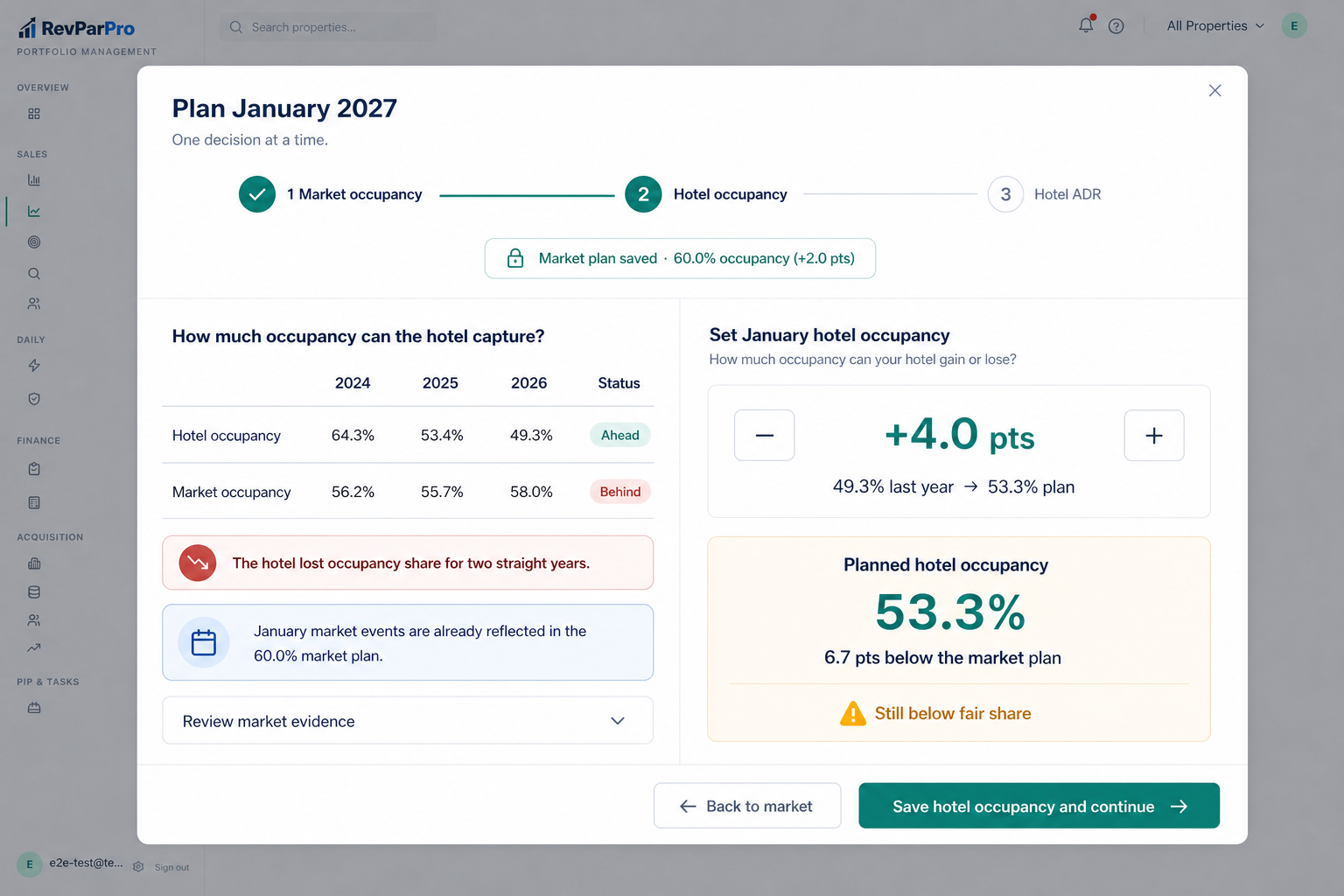
Step 2 · Hotel occupancy

Carry forward the saved market plan, show how the hotel has captured occupancy historically, and let the GM set only the hotel occupancy change.
Current direction
Step 2 hotel occupancy mockup
DecisionHow much occupancy can the hotel gain or lose against the saved market outlook?
Open Step 2 full size ↗

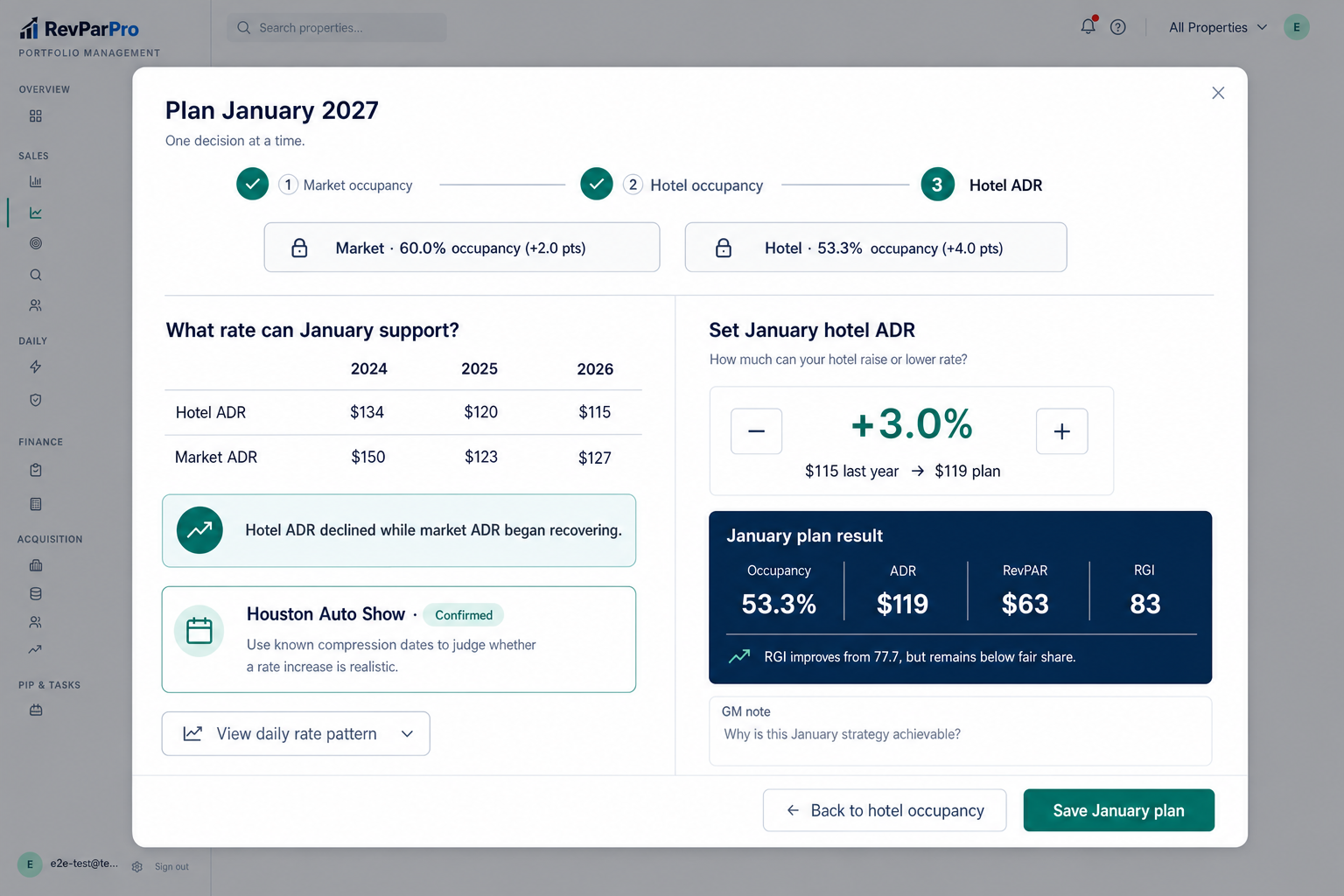
Step 3 · Hotel ADR

Carry forward both occupancy decisions, show the rate evidence and known events, then set hotel ADR and reveal the completed January result.
Current direction
Step 3 hotel ADR mockup
DecisionWhat rate can the hotel realistically achieve given the occupancy plan?
Open Step 3 full size ↗

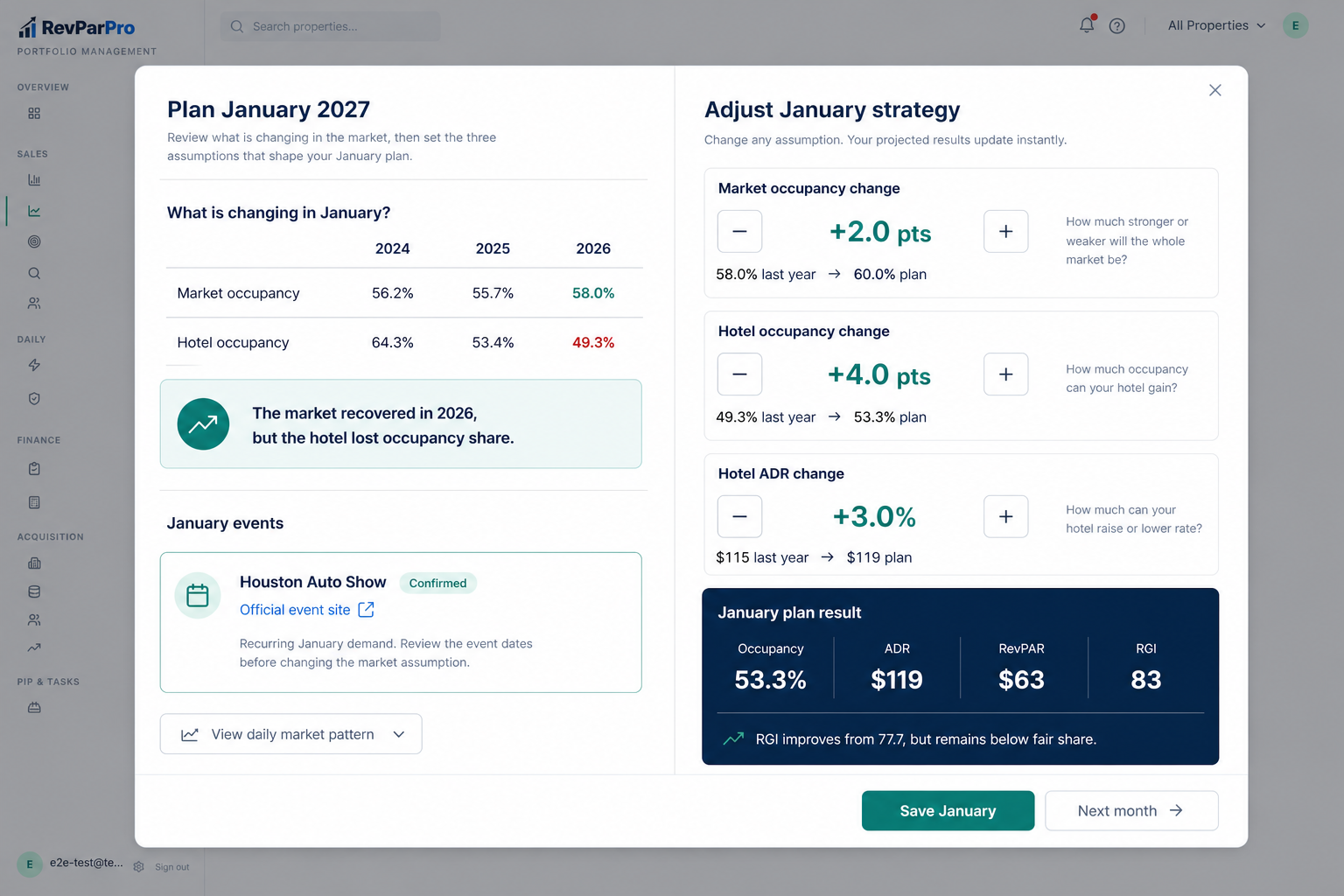
Earlier combined concept

This version put all three controls on one screen. It is retained only to show the direction that was rejected in favor of one decision per step.
Earlier concept
Corrected January monthly decision workspace mockup
The job to be doneUnderstand January, adjust three assumptions, and see the operational result immediately.
Click the mockup to open it full size ↗

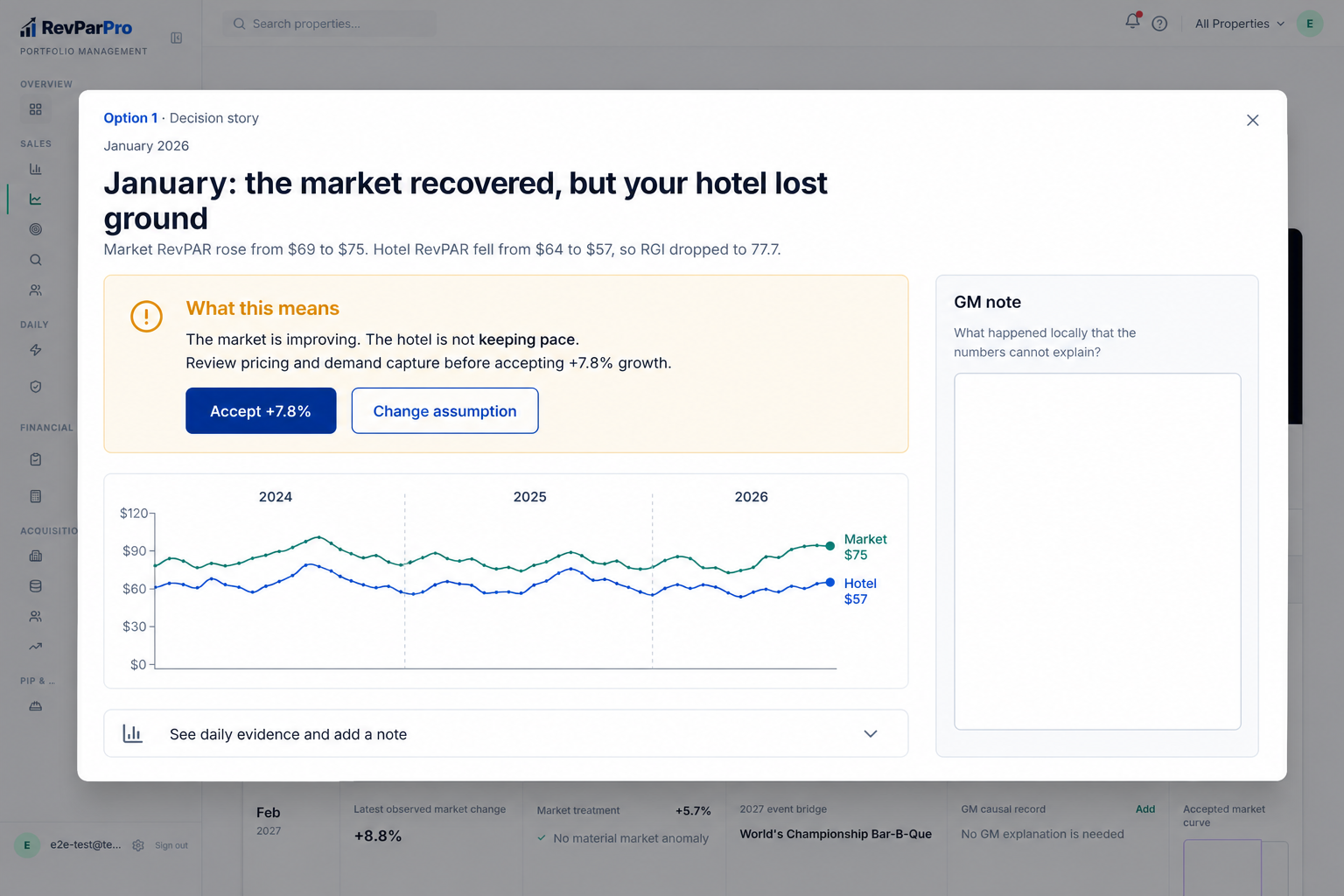
Earlier exploration 1 · Decision Story

Starts with the conclusion, but does not give the GM the three strategy levers. Retained only to show the discarded direction.
Earlier concept
Decision Story mockup
Best whenThe GM needs a fast recommendation and a clear decision.
Click the mockup to open it full size ↗

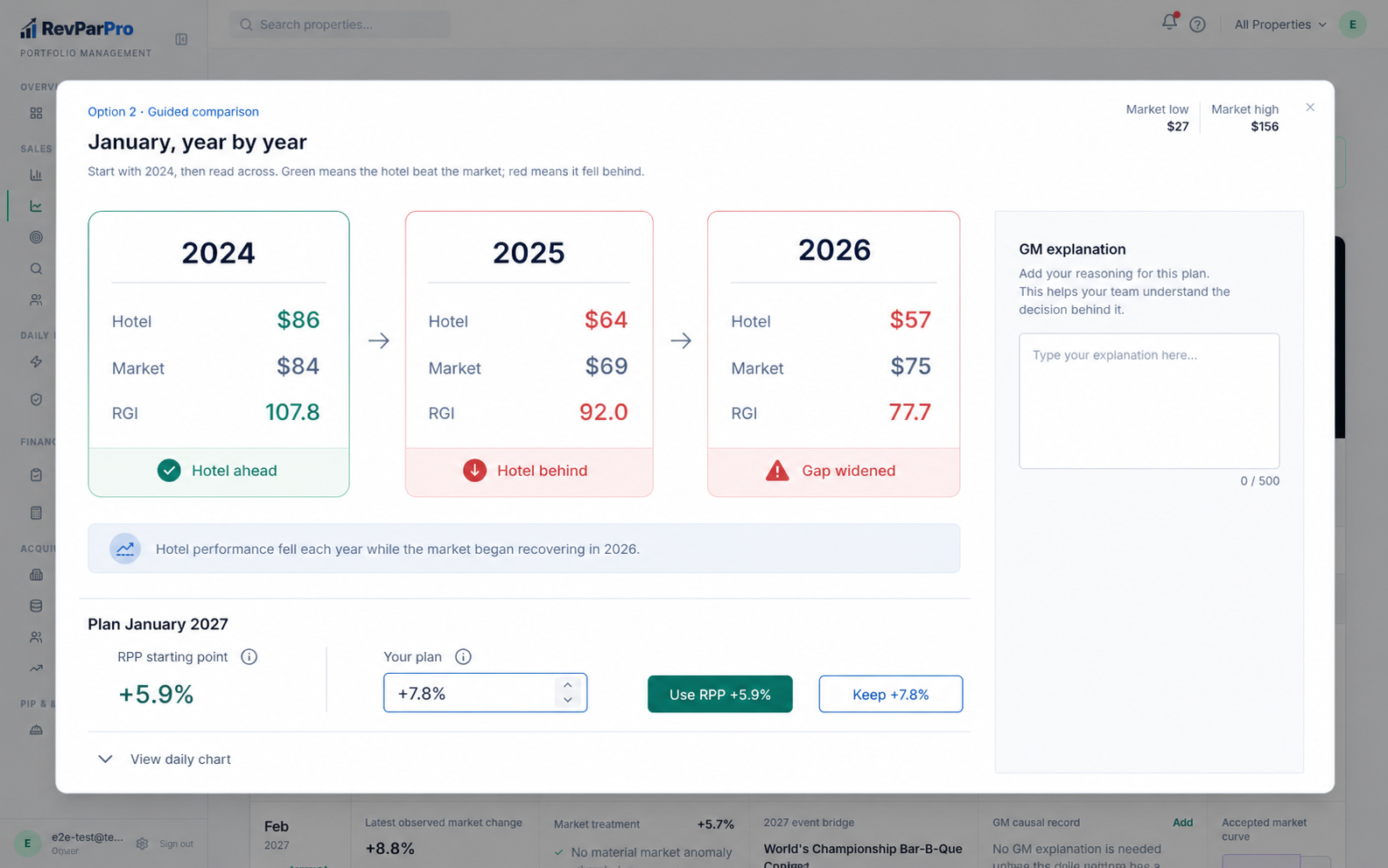
Earlier exploration 2 · Guided Comparison

Walks through the history clearly, but still leaves the actual monthly strategy work elsewhere.
Earlier concept
Guided Comparison mockup
Best whenThe GM needs to understand how the hotel fell behind before approving the forecast.
Click the mockup to open it full size ↗

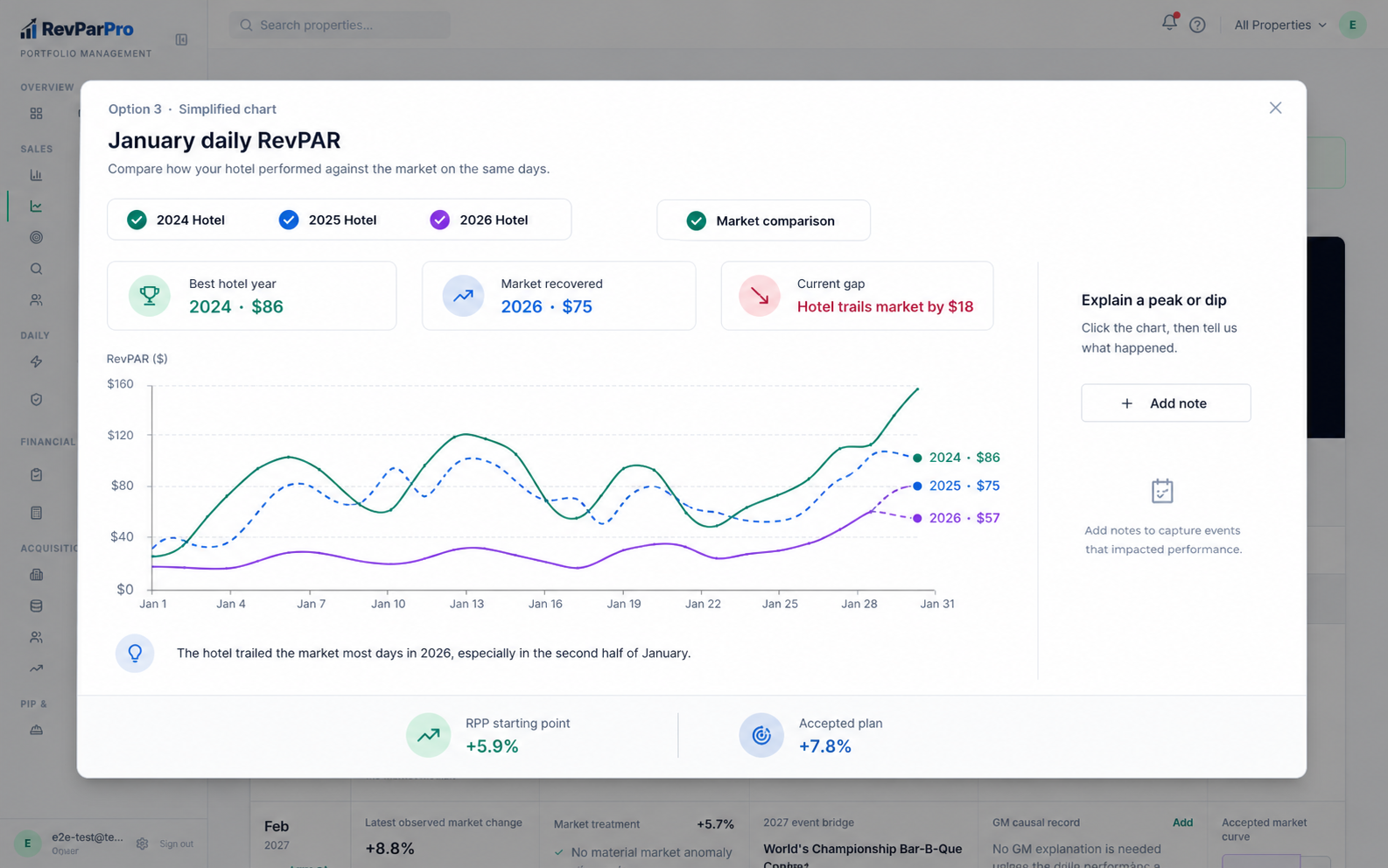
Earlier exploration 3 · Simplified Chart

Keeps daily investigation central, but makes the chart the job instead of making the January plan.
Earlier concept
Simplified Chart mockup
Best whenThe GM already understands RevPAR and wants to investigate peaks and dips.
Click the mockup to open it full size ↗